Ozwin Casino Login: Sign In With Your Username on Desktop or Phone
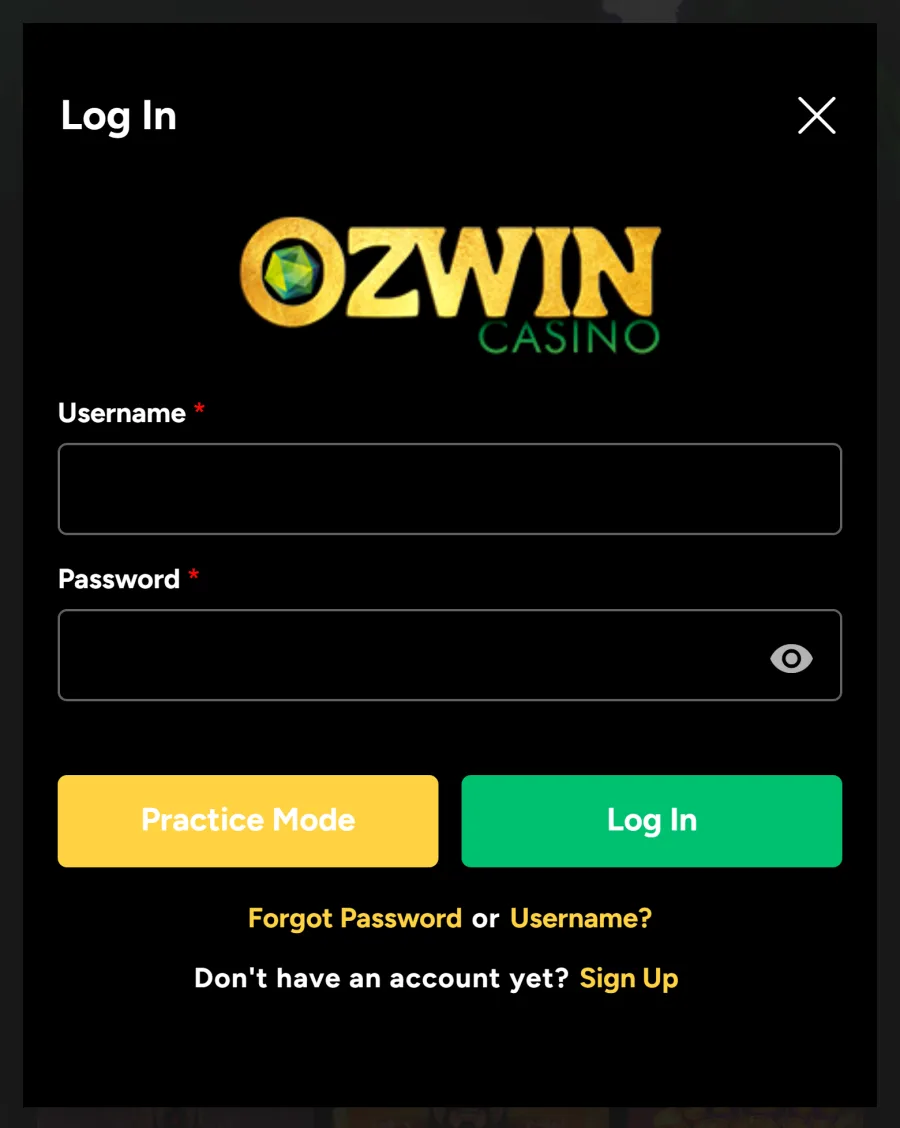
The Ozwin casino login uses two details only: the username and password you chose when you registered. Your email does not work in the username field, and there is no social sign-in. Australian players use the same Log In window in the game lobby, on a PC or in a phone browser. Once you are in, the Ozwin Australia lobby switches from demo play to your real AUD balance. If the Ozwin login fails, use the Forgot Password or Username? link or Live Chat, open 24/7.
New accounts get A$10 free with code OZWELCOME-A, then 200% up to A$2,000 plus 50 free spins on a first deposit from A$20.
How to Log In to the Ozwin Casino Lobby
The Ozwin casino lobby login is a small pop-up window, not a separate page, so you never lose the game you were looking at. On desktop it works like this:
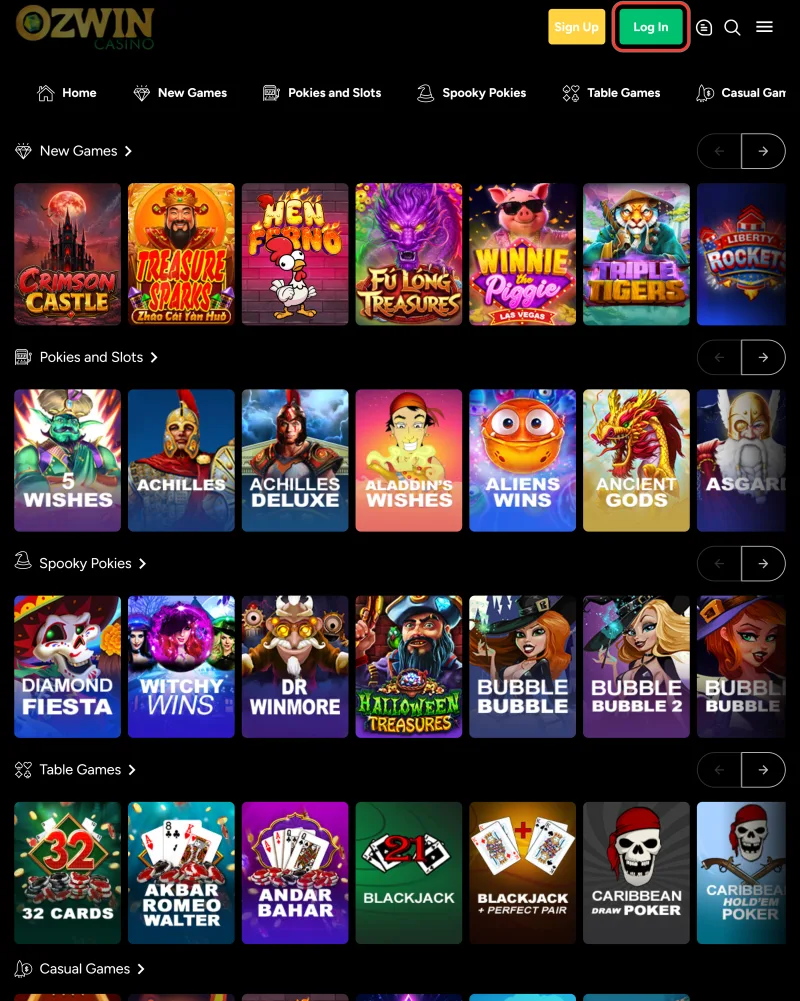
1. Press Log In
Open the lobby and press Log In in the header, next to Sign Up.
2. Enter your username
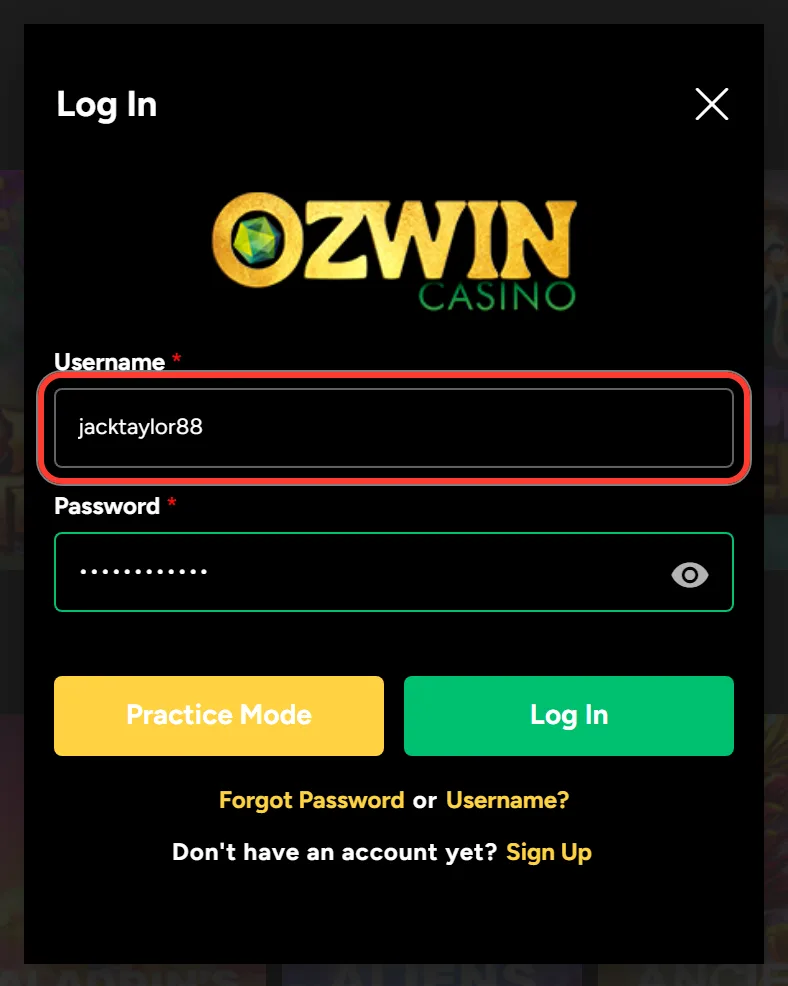
Type your username in the Username field. It is the name you picked in the first window of the sign-up form, not your email.
3. Enter your password
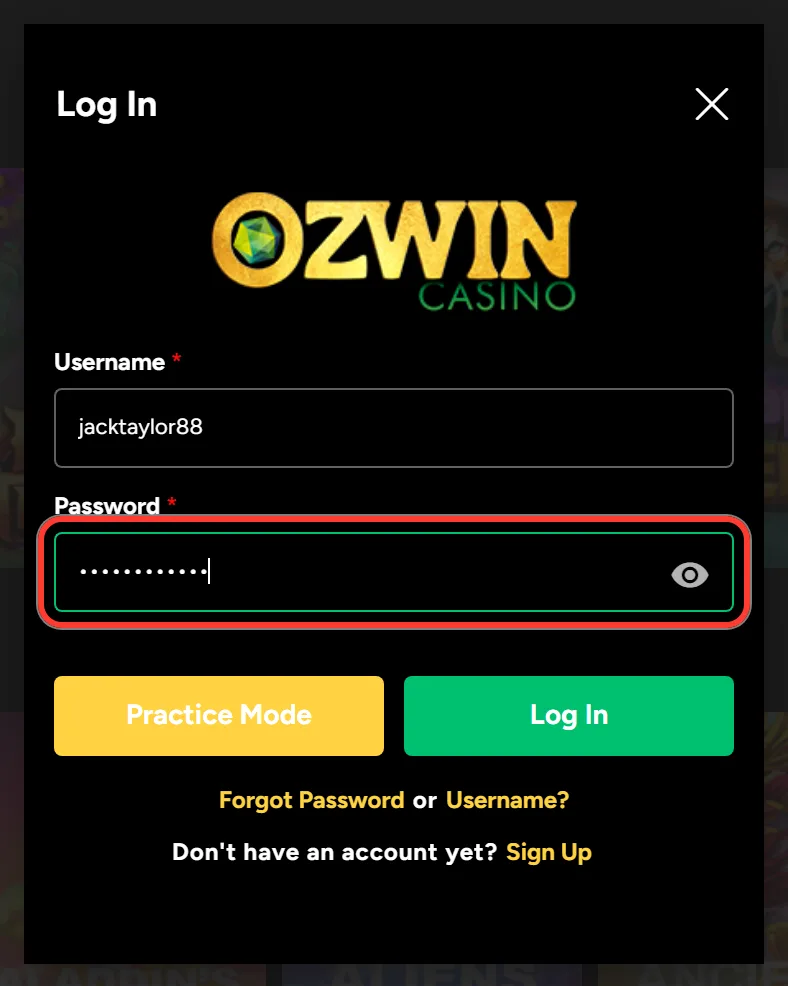
Enter your password. The eye icon shows the characters, which helps if you are not sure you typed it right.
4. Sign in for real money
Press Log In to play with your real balance.
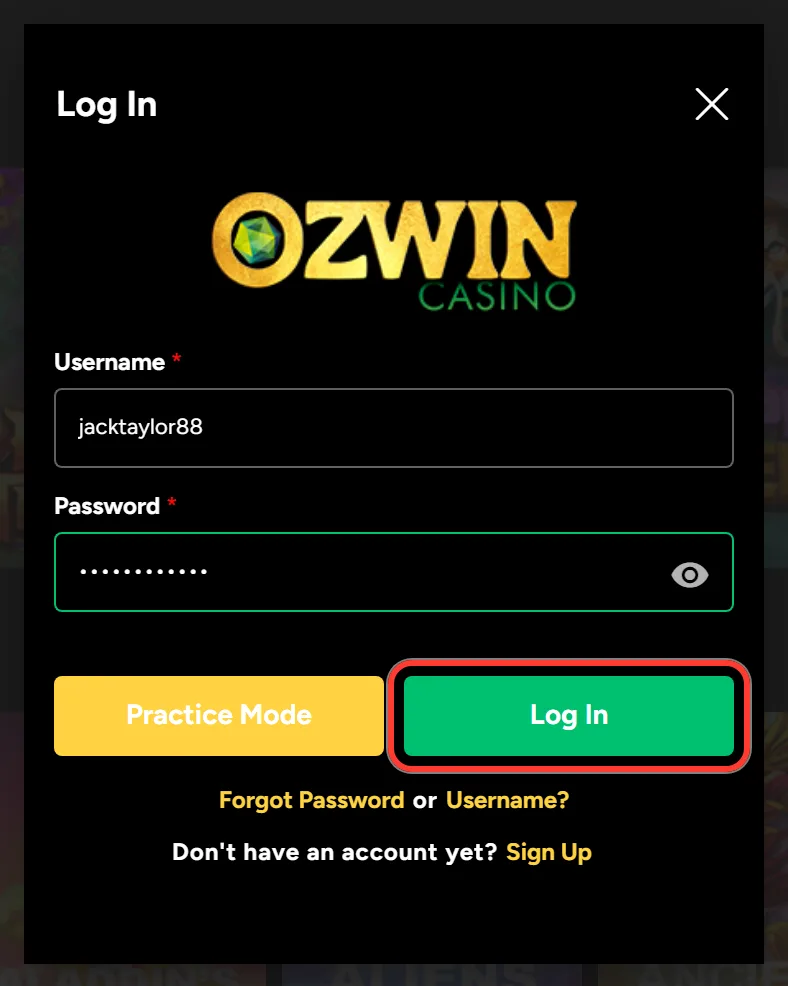
5. Pick Practice Mode
Choose Practice Mode instead if you only want to spin with fun money and leave your balance untouched.
Under the buttons, the window links to Forgot Password or Username? and to Sign Up. If you still need an account, the Ozwin sign up has three short windows and opens the account straight away, so you can log in to Ozwin right after you press Register.
Ozwin Casino Mobile Login on iPhone and Android
The Ozwin casino mobile login runs in the browser and asks for the same username and password as on a computer. Ozwin works on Android and iOS phones and tablets, and Google Chrome is the browser the casino recommends.
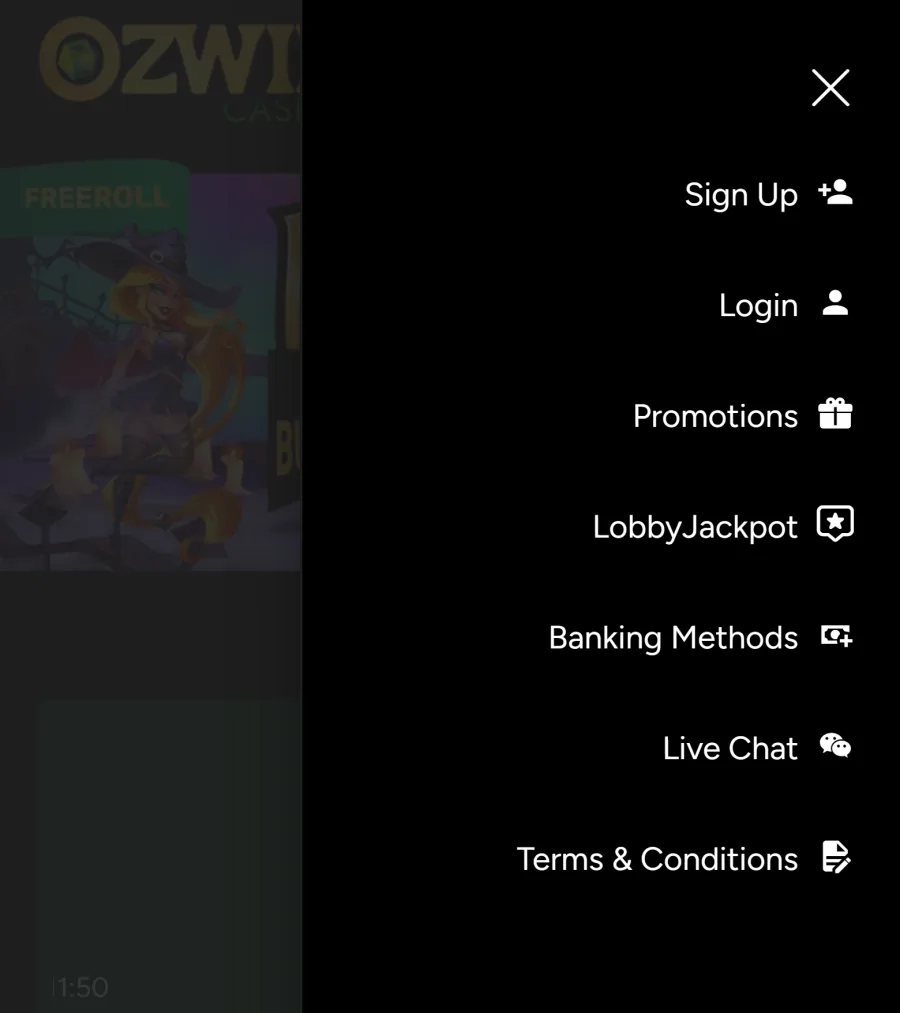
On the mobile home page, LOG IN is in the bar along the bottom, next to SIGN UP. Inside the mobile lobby, the bottom menu shows Search, Sign Up and Login, and the burger menu repeats Login together with Promotions, Banking Methods and Live Chat. Tap it, fill in both fields and press Log In, or Practice Mode for demo play.
Most players in Australia are on an iPhone, and typing the address each time gets old. Put the Ozwin app on your home screen instead: Add to Home Screen in the browser menu does it, and you then sign in from the icon as usual.
Forgot Your Password or Username? Two Ways to Reset
The Ozwin casino login page has one link for both problems, Forgot Password or Username?, and each leads to its own short form. Both depend on the email you gave at sign-up, so it helps to know which mailbox that was.
To reset a forgotten password:
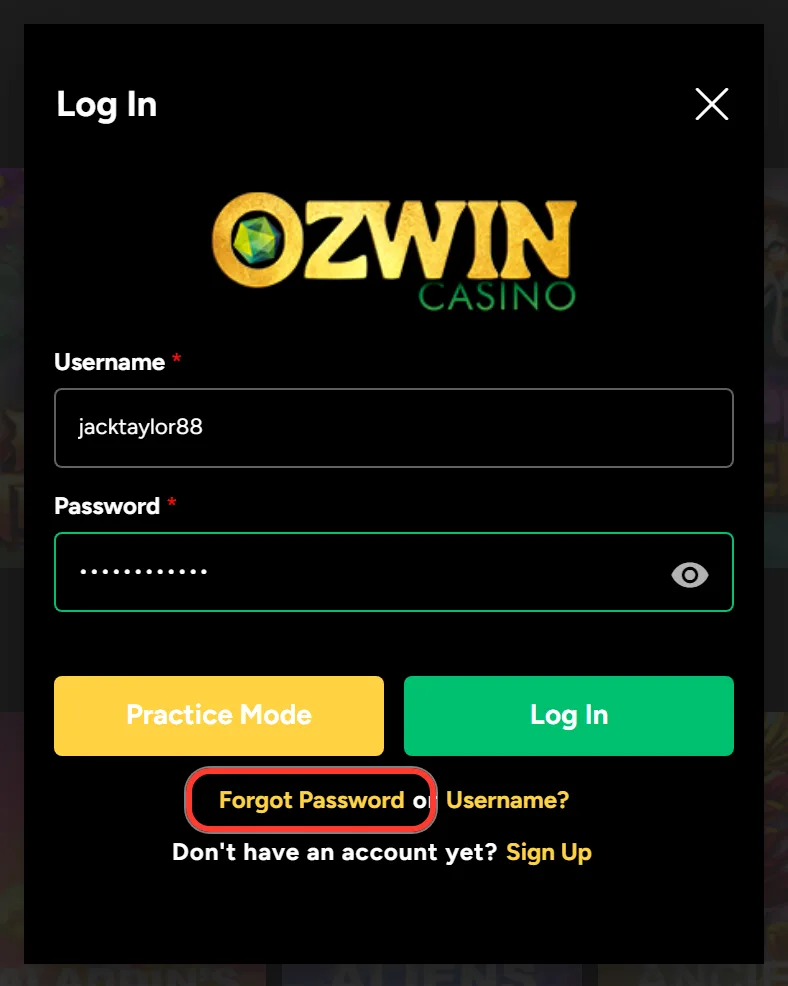
1. Open Forgot Password
In the Log In window, press Forgot Password.
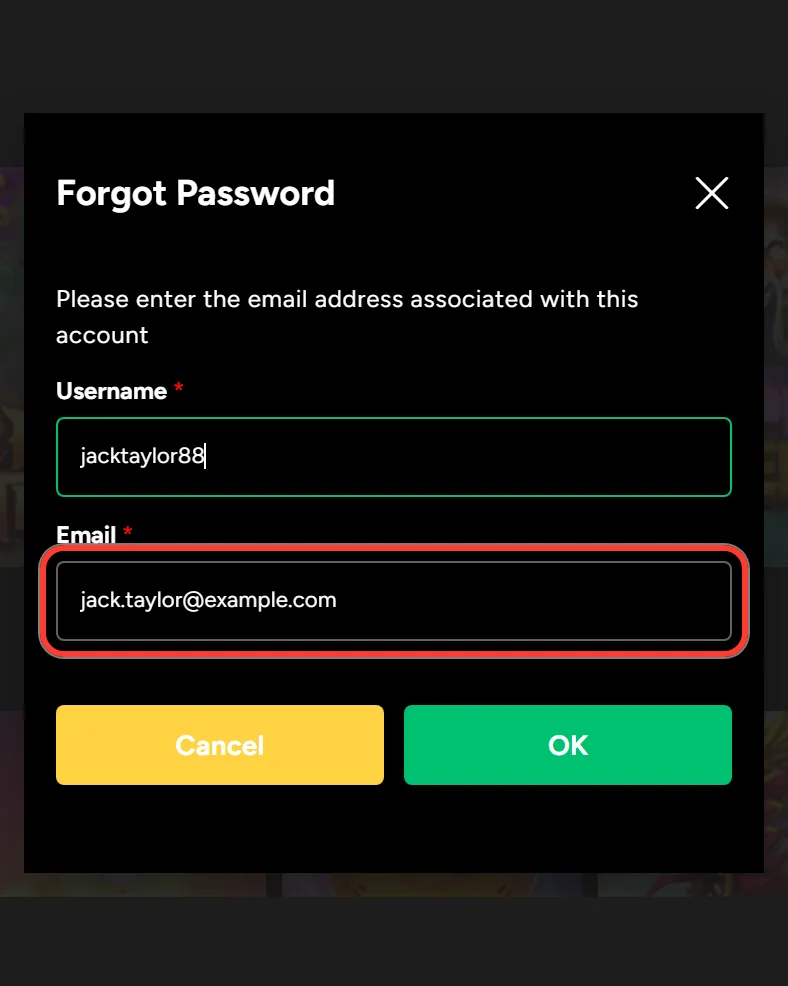
2. Type your username
Enter your username in the Username field.
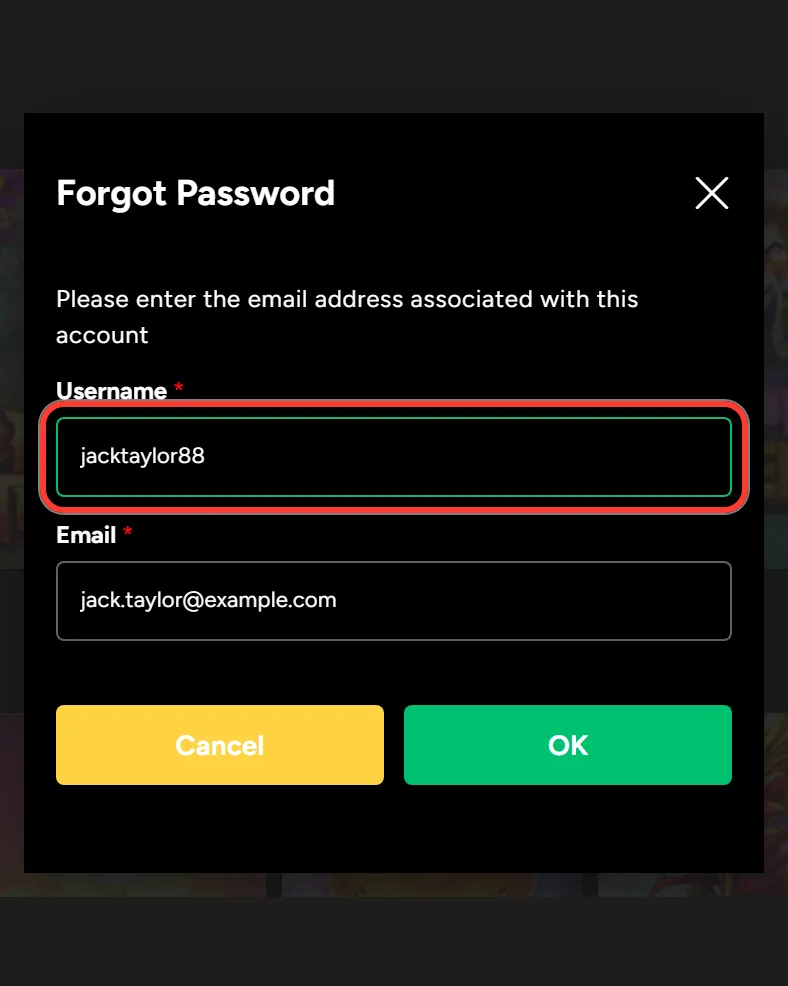
3. Add your account email
Type the email address linked to the account, the one from your registration.
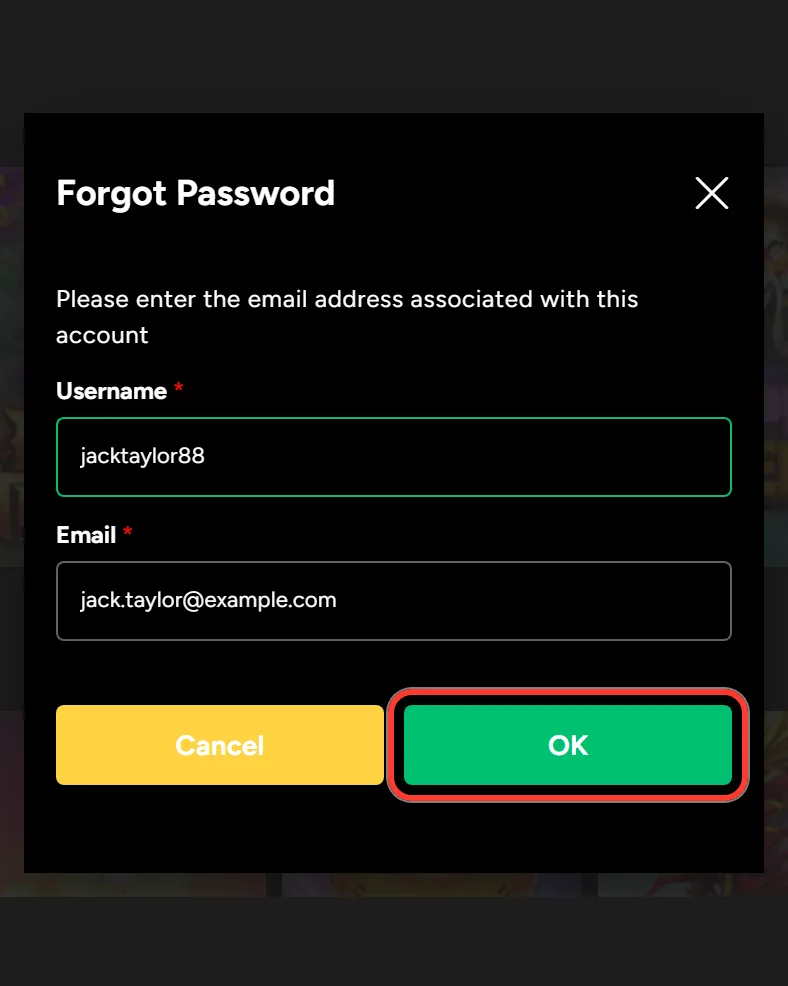
4. Send the reset request
Press OK to send the request, then check that inbox and follow the instructions in the message.
To recover a forgotten username:
1. Open the Username? link
In the Log In window, press Username? in the same link.
2. Enter your account email
Enter the email linked to your account.
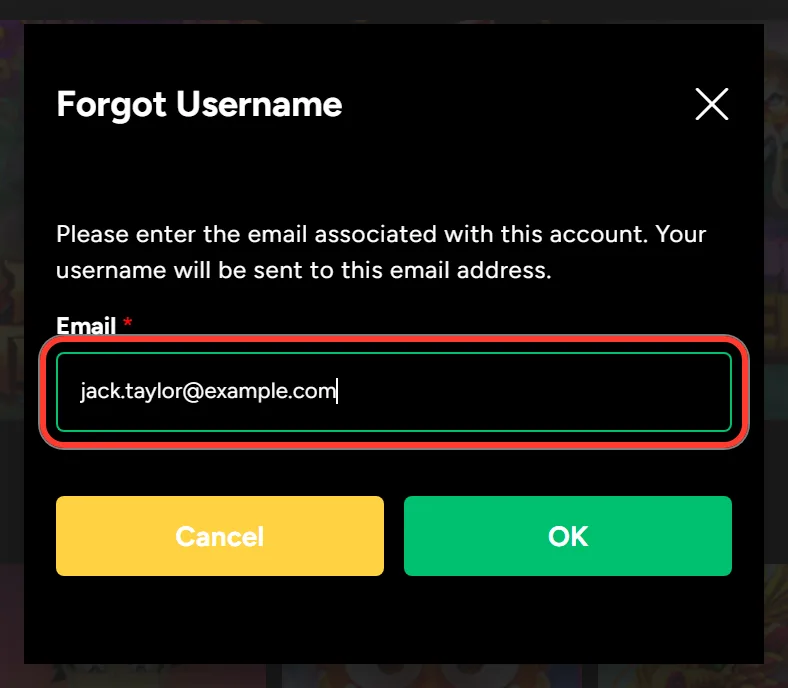
3. Press OK
Press OK. Ozwin sends your username to that email address.
If you have lost both, recover the username first, because the password form asks for it. Cancel closes either form and takes you back to the Log In window.
What Changes Once You Are Signed In
Without logging in, Ozwin only lets you browse and play demos. On desktop, Try It! on a game card starts a free version as a guest. Signing in opens everything tied to your account:
- real-money play on the pokies, table games and video poker in the lobby;
- the Live Dealer tab, which shows the login window to guests;
- the Cashier on desktop or Deposit on mobile, with methods such as Neosurf, Visa, Mastercard and Bitcoin;
- the Coupons tab for codes like OZWELCOME-A or KOALITY-OCT26;
- Withdraw in the burger menu, and Comp Points that build into wager-free cash.
The login is the same on every device, so a deposit made on your laptop shows up on your phone the next time you sign in.
Login Problems and Quick Fixes
When the window will not let you in, the cause is usually one of a few simple things:
- You typed your email into the Username field. Use the username from registration, or recover it by email.
- The password is wrong. Check Caps Lock, use the eye icon to see what you typed, or reset it. Passwords on Ozwin are 6 to 20 characters long.
- Autofill entered old details saved in your browser. Clear the fields and type them in by hand.
- You have no account yet. The Log In window has a Sign Up link for that.
Sometimes the site itself does not load, or the Ozwin log in window freezes. In that case, contact the casino through its official channels: Live Chat runs 24/7, support@ozwinmail.com answers within 24 to 48 hours, and Schedule a Call books a call-back. Tell support your username, never your password.
Keeping Your Account Details Safe
Under the Terms and Conditions, you are responsible for keeping your username and password private. Ozwin allows one real-money account per player, so a lost or shared login is not solved by opening a second profile. Pick a password you do not use on other sites. On a shared or public computer, log out when you finish and do not let the browser save your details. If you think someone else has your password, reset it with the Forgot Password or Username? link and tell support through Live Chat.
Ozwin Login FAQ
Can I log in with my email address?
No. The Log In window has only Username and Password fields. Your email comes in when you need to recover a forgotten username or reset a password.
Do I need separate details for my phone and my computer?
No. One username and password work on desktop, on an iPhone or Android browser and from the home screen icon. Your balance, coupons and Comp Points stay the same on every device.
Do I have to send documents to log in?
No. Logging in, depositing and playing do not need any documents. Verification becomes mandatory with your first withdrawal, and that payout waits until your ID and a utility bill are checked.
What does Practice Mode do?
It opens the games with fun money instead of your real balance. You see it next to Log In in the login window, and on mobile it is the way to play demos with your account.
Is there a separate Ozwin login for Australia?
No. Australian players sign in through the same Log In window as everyone else, and accounts registered from Australia run in AUD. All you need is your own username and password.
What if someone else knows my password?
Reset it at once through the Forgot Password or Username? link: the form asks for your username and the email from registration. Then write to Live Chat, open 24/7, and tell the team what happened. Give support your username, never the password.
Updated: